Build, Schedule, Analyze: The Full Cycle in Your Browser
No desktop software. No $2,500 license. No manual reporting. From blank schedule to shareable executive report in one session — powered by AI that no other scheduling tool has.
Planning engineers have always worked across multiple tools. Build the schedule in Primavera P6 or MS Project. Export to Excel for reporting. Copy charts into PowerPoint for executives. Manually calculate variance. Reformat for stakeholders.
That workflow hasn't changed in 20 years. Until now.
Nahla Project isn't just another browser scheduler. It's the first scheduling tool where AI doesn't just analyze your schedule — it builds it, fixes it, and warns you before things go wrong.
1. Build Your Schedule
Open your browser. Go to project.nahla.ai. No installation, no license key.
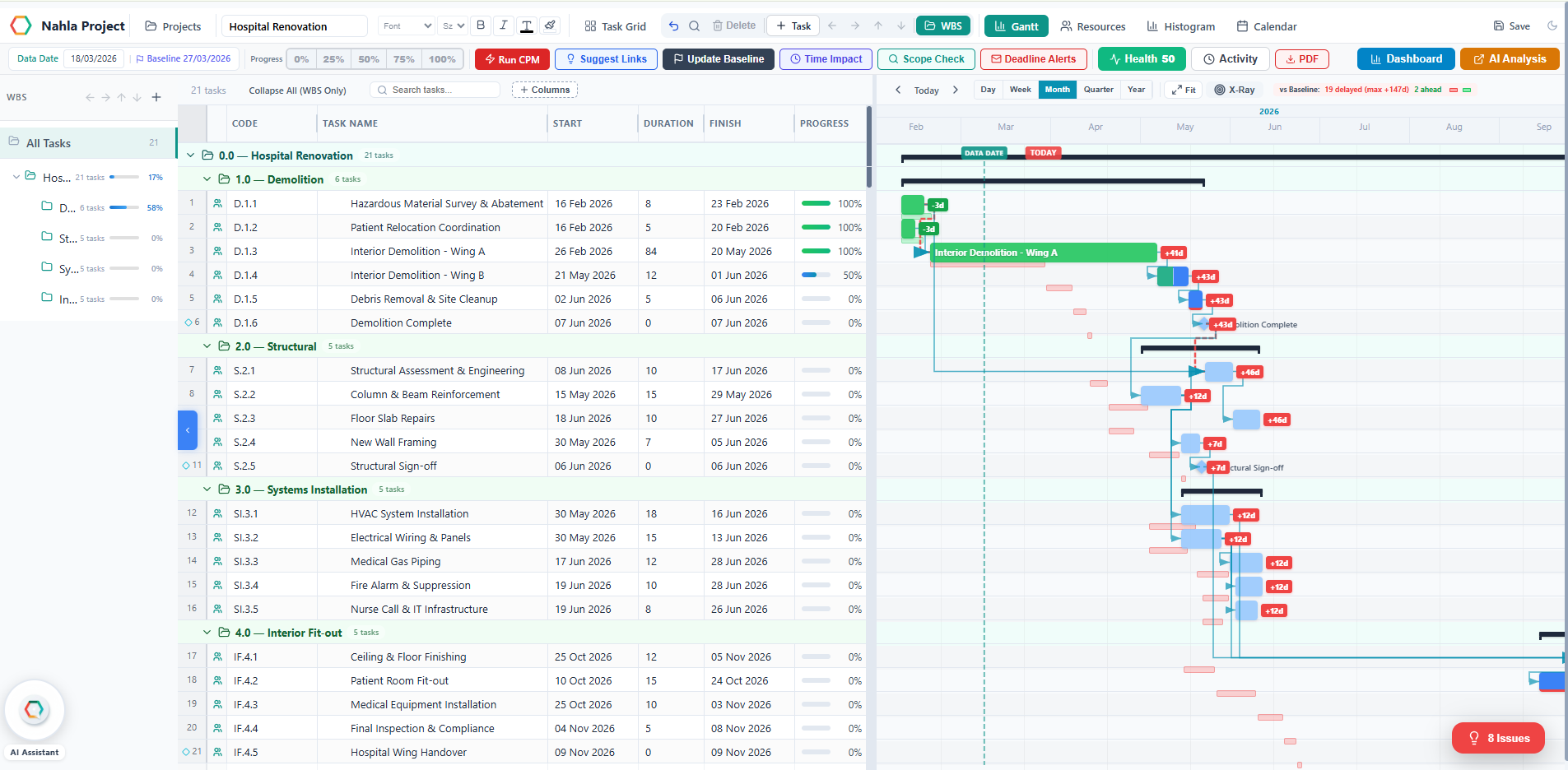
This isn't a simplified task list. It's a full CPM scheduler with features that go far beyond what Primavera and MS Project offer.
What Makes Nahla Project Different
Every scheduler has Gantt charts, dependencies, and CPM. Here's what only Nahla has:
AI Schedule Generator AI
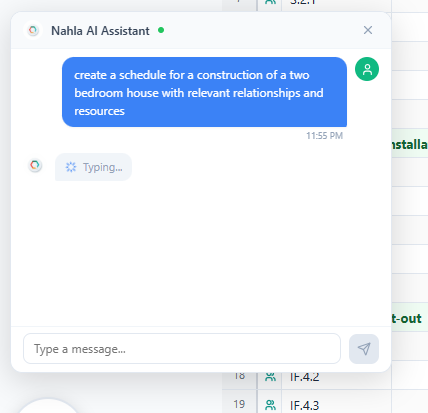
Describe your project in plain English — "Create a construction schedule for a 5-bedroom house" — and Nahla generates the entire schedule: WBS hierarchy, 20+ tasks, dependencies, resources, and assignments. In seconds.
No other scheduling tool does this.
AI Chat Assistant AI
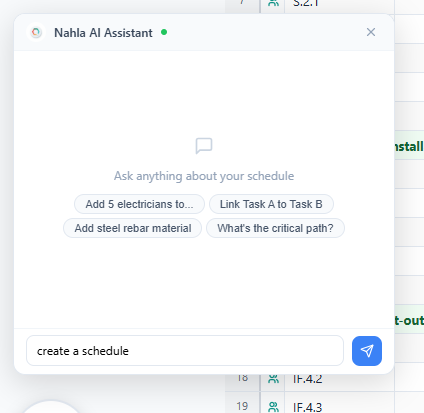
Talk to your schedule in natural language:
- "Excavation can't start before April 15" — sets SNET constraint automatically
- "Add 5 electricians to the wiring task" — creates resource and assigns it
- "What's my biggest risk?" — identifies the specific task, float remaining, and suggested action
- "Link framing to drywall" — creates the dependency
The AI understands scheduling concepts: constraints, dependencies, critical path, float, resources. It's not a chatbot — it's a scheduling co-pilot.
Actionable AI Insights with Fix Now AI
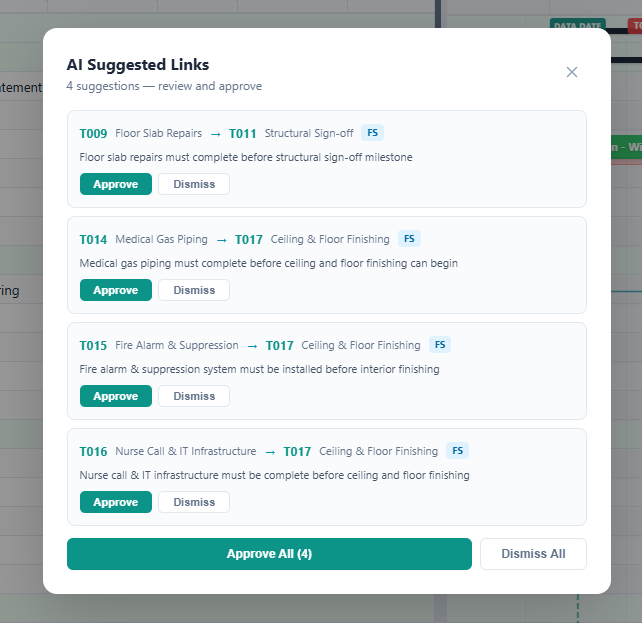
Most tools show you what's wrong. Nahla fixes it.
The AI Insights panel detects issues — missing dependencies, overallocated resources, critical tasks without resources — and each alert has a "Fix Now" button. One click, and the AI resolves the issue with the right solution.
Scope Completeness Checker AI
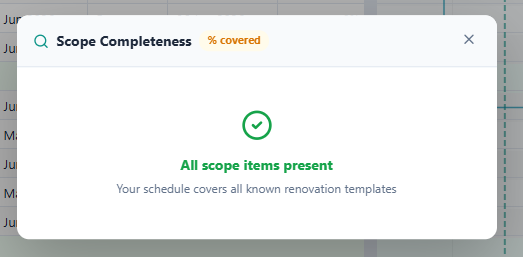
Click "Scope Check" and Nahla compares your schedule against industry templates learned from thousands of schedules (Schedule DNA). It tells you what's missing: "Your construction schedule is missing inspection tasks, commissioning, and handover."
Each missing item has an "Add" button that creates the task with the right duration, WBS, and predecessors.
Schedule DNA — AI That Learns AI
Every time you set a baseline, Nahla extracts patterns: task names, typical durations, common predecessors, required resources. These patterns feed back into the AI, making suggestions smarter with every project.
Start a new oil & gas project? Nahla already knows that "Pipeline Hydrotesting" typically takes 14 days with 2 welders. Because it learned from real schedules.
Time Impact Analysis — What-If Simulation
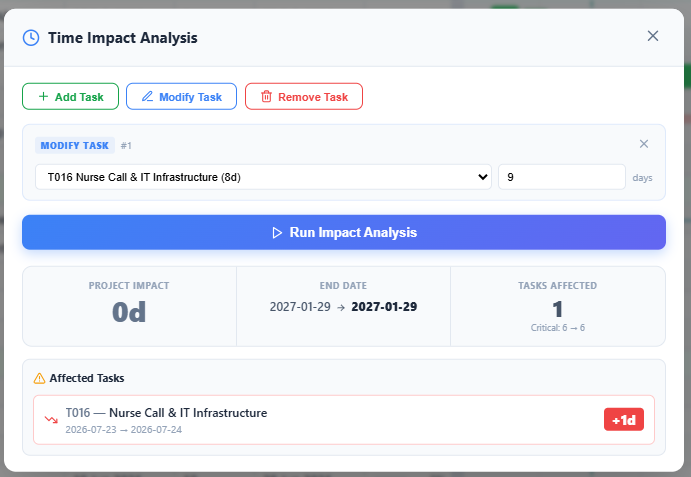
The feature construction lawyers and delay experts use daily. Add a proposed delay event, modify a task duration, or remove a task — and see the CPM impact without saving anything.
"If I add a 10-day rain delay after Foundation, the project slips by 7 days and 4 tasks are affected."
Pure what-if simulation. The schedule doesn't change until you decide.
Live Edit Impact Popup
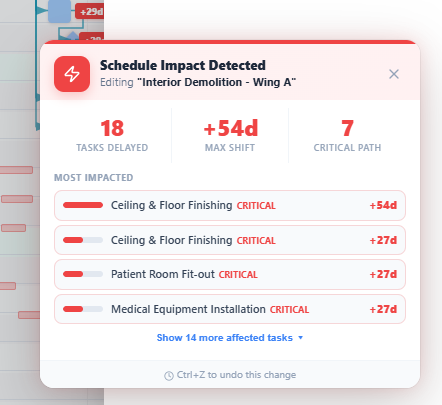
Change a task's duration and a popup instantly shows you exactly what it does downstream: how many tasks are affected, the maximum delay, and whether the critical path is impacted. With task names, dates, and severity color-coding.
You see the impact as it happens, not after the damage is done.
Dependency Flow Chart
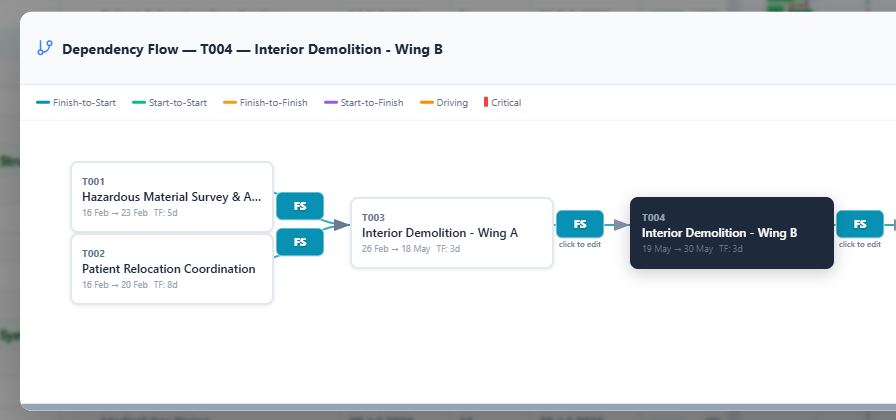
Click any dependency arrow on the Gantt and a visual flowchart opens showing 2 levels of predecessors and successors. The driving predecessor glows orange. Critical path tasks have a red indicator.
Click any arrow label to edit the relationship type (FS/SS/FF/SF) or lag. Add new predecessors or successors from a searchable dropdown. Visual dependency management — not spreadsheet-style lists.
X-Ray Vision
Click the X-Ray button, then click any task bar. The entire dependency chain lights up: blue for the source task, orange for predecessors, green for successors. Everything else fades to 15% opacity.
Instantly see what drives a task and what it drives. No tracing arrows manually.
2. Run CPM — Critical Path in One Click
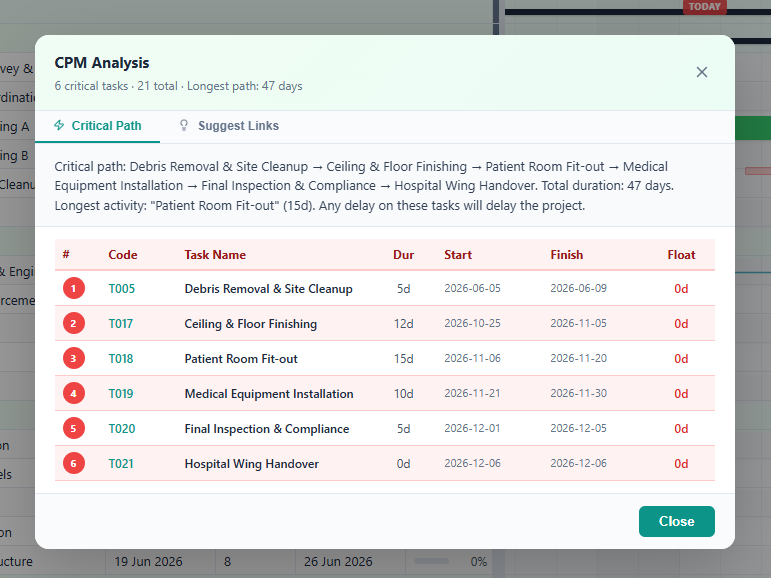
Click "Run CPM" and the scheduling engine calculates:
- Forward pass — earliest start and finish dates
- Backward pass — latest start and finish dates
- Critical path — highlighted on the Gantt chart with a summary popup showing the full chain
- Total float — per task, so you know where you have flexibility
- Constraint enforcement — MSO, MFO, SNET, FNLT respected during calculation
- Date persistence — CPM-computed dates are saved, not just displayed. Multi-predecessor tasks are correctly scheduled after the latest predecessor.
The same calculation that P6 runs internally, now running in your browser.
3. AI Schedule Health Check
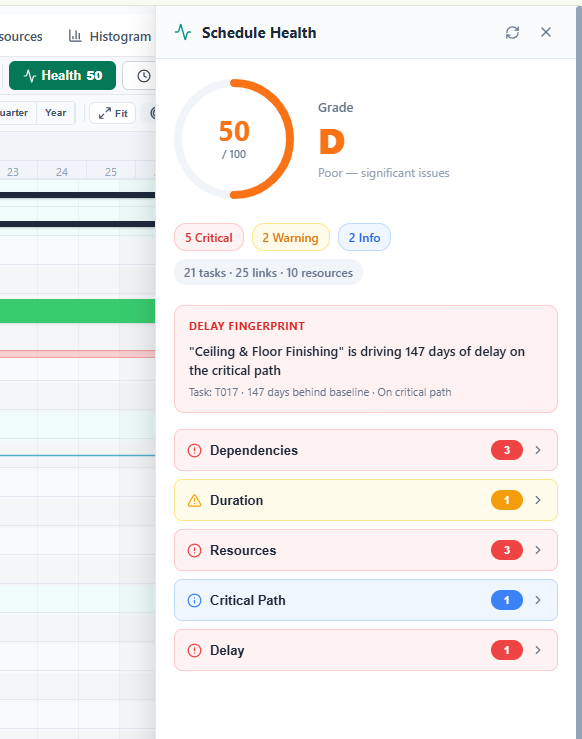
Before you leave, 14+ automated health checks scan your schedule for:
- Missing logic (tasks with no predecessors or successors)
- Unreasonably long or short durations
- Resource over-allocation
- Missing milestones
- No WBS structure
- Critical path percentage
- Circular dependencies
- Delay fingerprint — identifies the single task driving the most delay vs baseline
Each issue has a "Fix Now" button. A score from 0–100 with a letter grade tells you instantly how healthy your schedule is.
4. One Click to Nahla AI
Click "Dashboard" or "AI Analysis" in the toolbar. Your schedule opens in Nahla AI — the same platform that analyzes Primavera P6 and MS Project uploads.
No re-entry. No file conversion. No export/import. The data flows directly.
5. Instant Dashboard
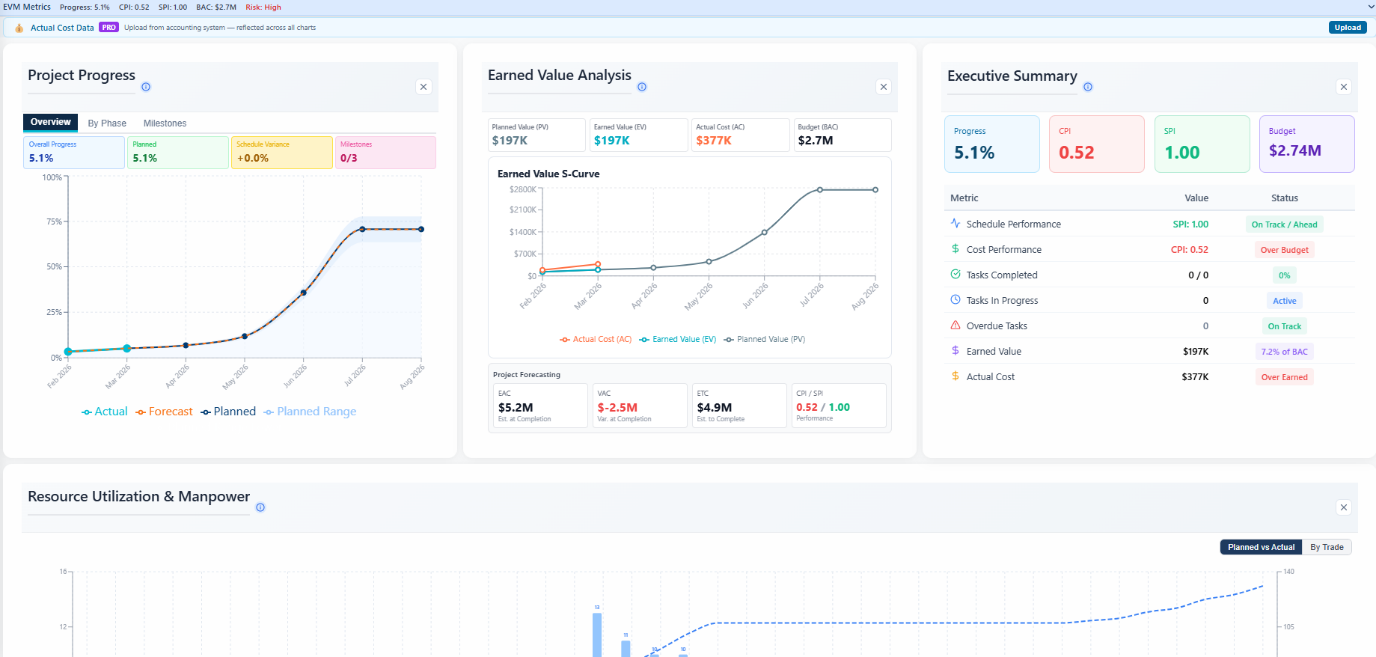
Nahla AI generates a full project dashboard in under 60 seconds:
If your schedule has selling costs, you also get margin analysis per WBS phase, profit at completion, and a three-line S-curve.
6. Ask AI Anything
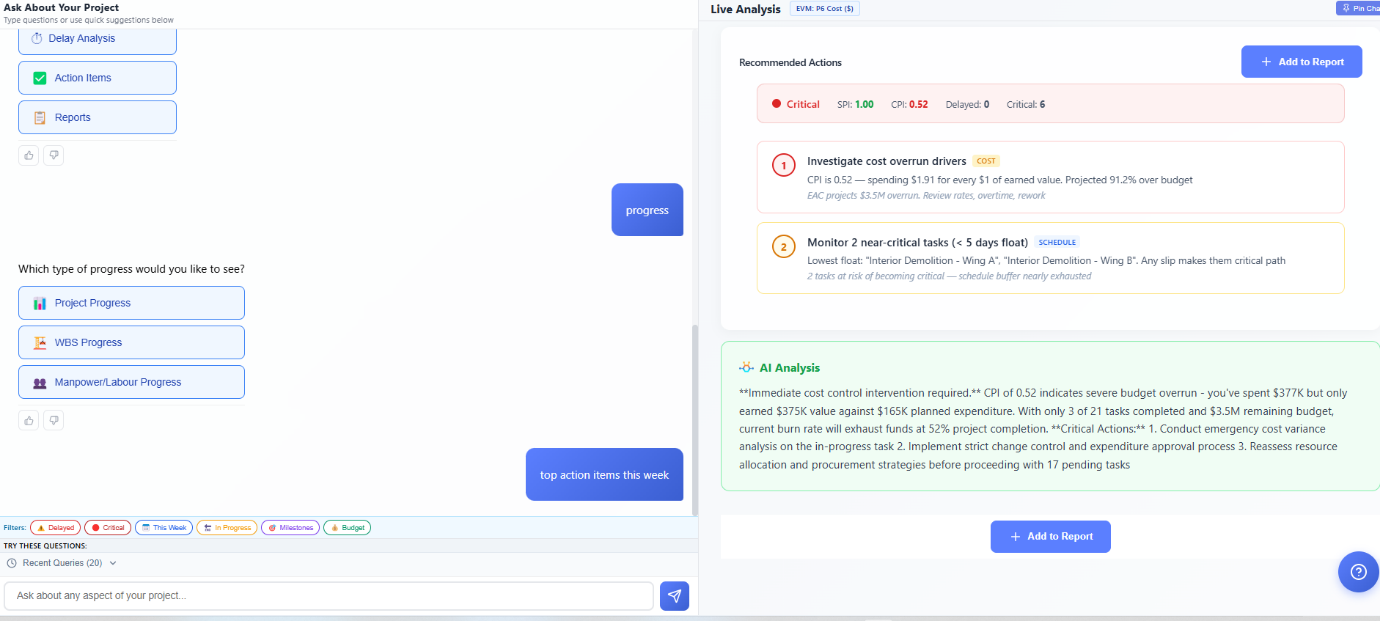
Open the Analysis page and ask questions in plain English:
- "Show me delayed tasks"
- "What is my CPI?"
- "Which WBS phase has the most risk?"
- "Generate executive summary"
- "Show Monte Carlo simulation"
Nahla AI answers with charts, tables, and written analysis based on your actual schedule data. Pin any chart and ask follow-up questions about it.
7. Generate Executive Report
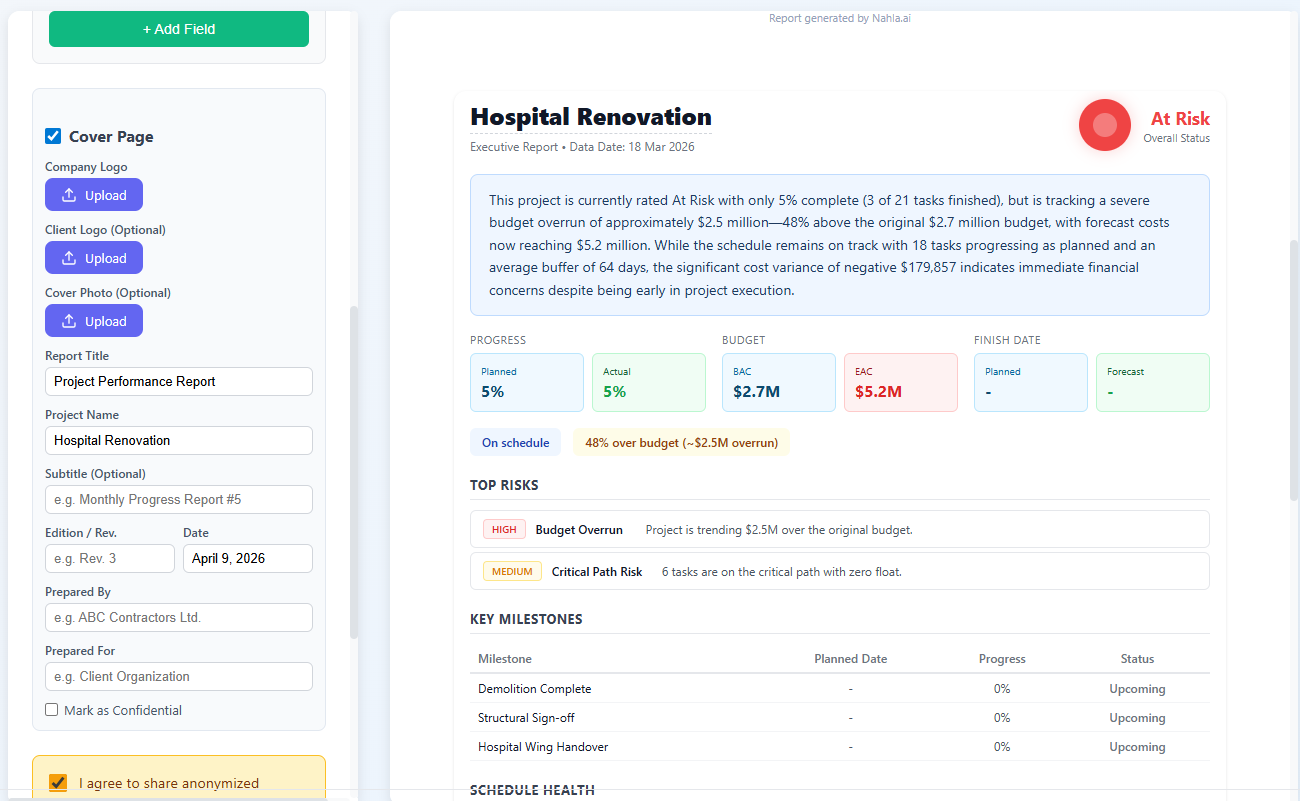
Click "Generate Executive Report" and get a 2–3 page report for directors and stakeholders:
- Traffic light project status
- Plain English summary — "Project is 12 days behind and $400K over budget"
- Completion forecast with confidence range
- Top risks with impact in days and dollars
- AI-generated recommendations
No PowerPoint. No copy-pasting. One click.
8. Share & Notify
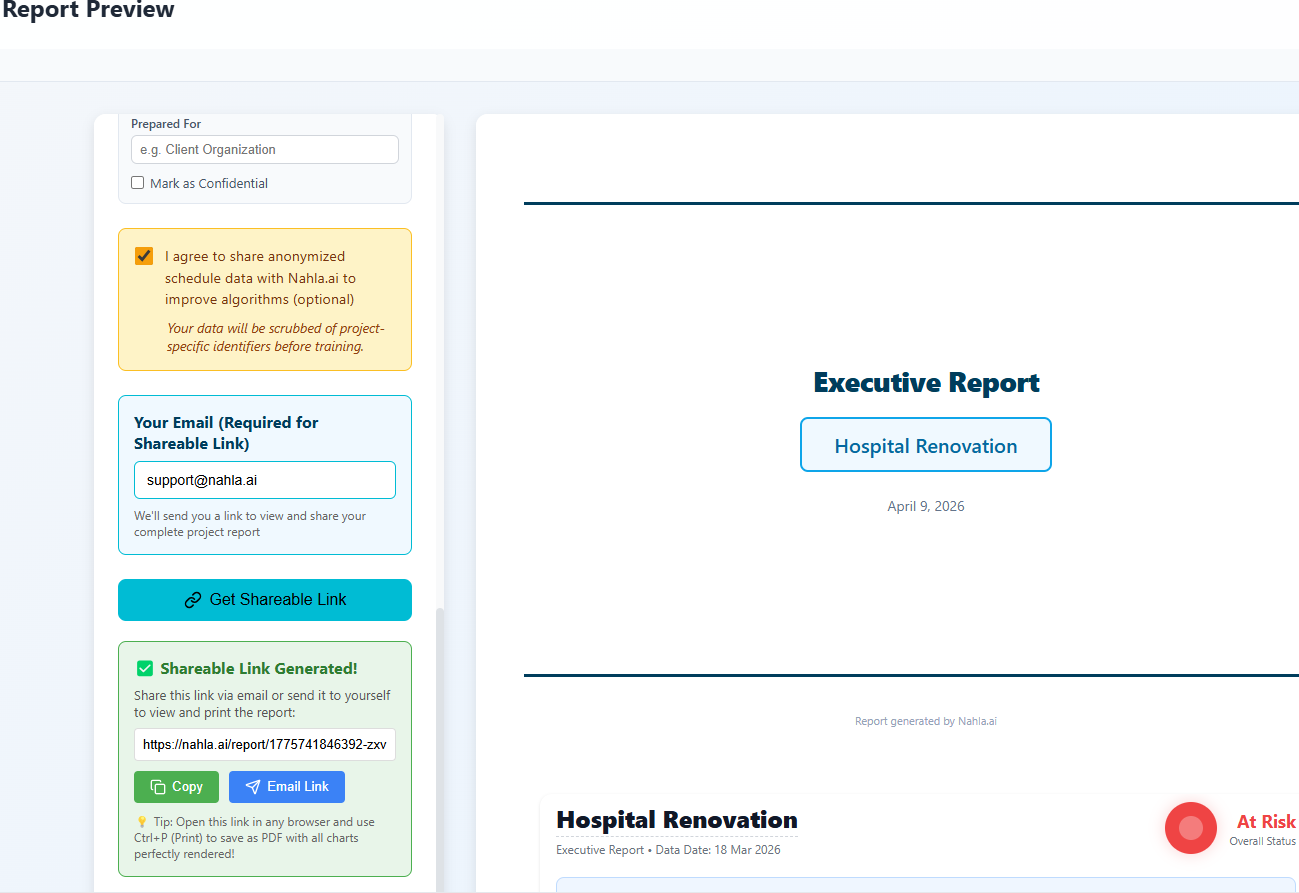
Generate a shareable link — anyone with the link can view the interactive dashboard. No login required for viewers.
In Nahla Project, share filtered views with subcontractors — they see only their assigned tasks, dates, and progress.
- Add your company logo
- Choose which charts to include
- Download as PDF (landscape layout with Gantt chart)
Deadline Email Alerts
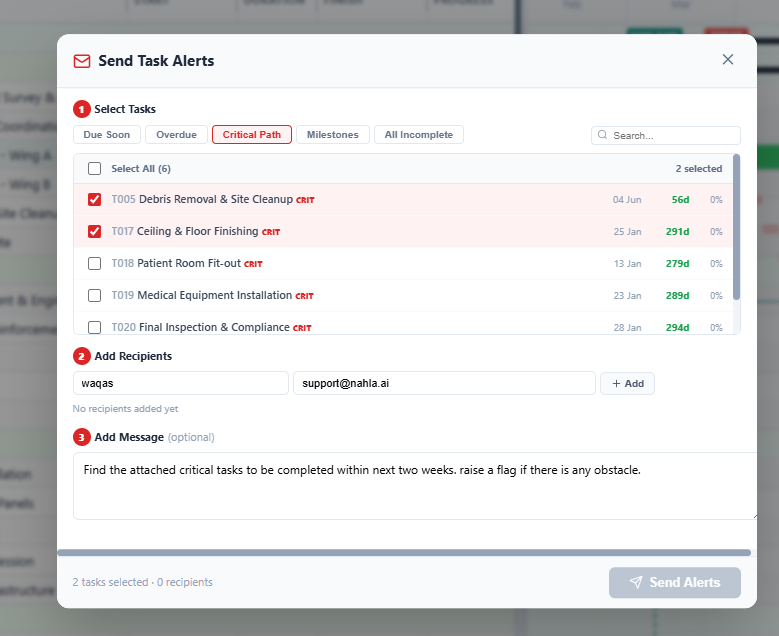
Select tasks that need attention, add recipients (from your resource list or any email), write an optional message, and send professional HTML emails. Each email shows task names, due dates, urgency colors, and a link to the schedule.
Built-in project communication — no external email tool needed.
The Full Cycle
The entire journey — from a one-sentence project description to shareable executive report — happens in one browser session. No P6 license. No Excel. No PowerPoint. No manual formulas.
Nahla Project builds the schedule. Nahla AI analyzes it.
Nahla AI is a product of SangMil Pty Ltd, an Australian Asset & Project technology company.